
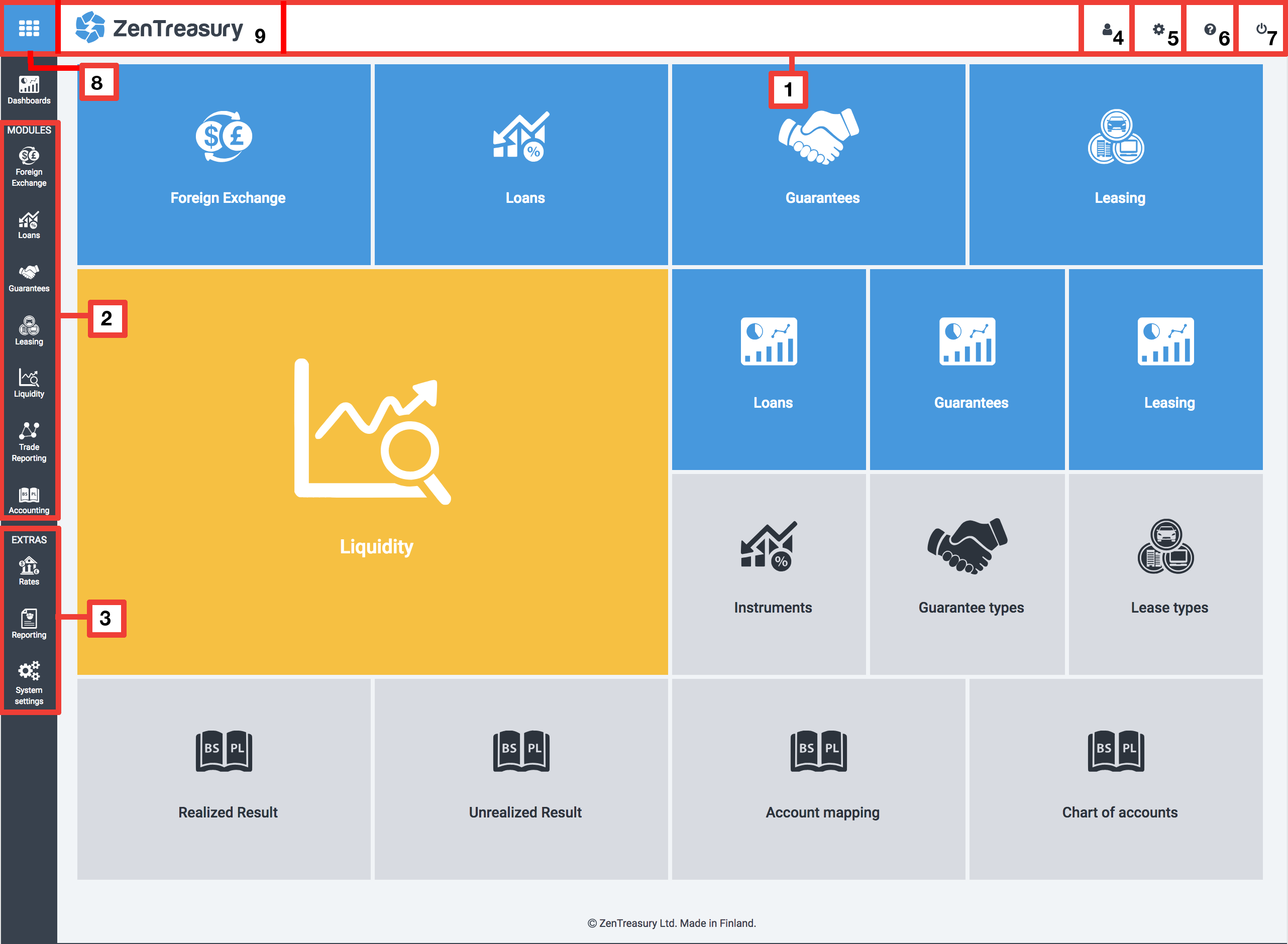
When you login to your ZenTreasury main account dashboard, you are brought to the Home Page (see screenshot above). After clicking on whichever icon, you can always go back to the Home Page by clicking the (9) ZenTreasury logo. The most important features are shown along the left side navigation bar, including:
(2) ZenTreasury Modules
(3) Rates, Reporting and System settings (System settings is only available for admins).
If you login with a mobile or tablet, the side navigation bar might be hidden. By clicking on the (8) menu toggle located to the top left, the side bar will open up.
Furthermore, the (1) top navigation bar includes important links on the right side, including:
(4) User management; from here you can navigate to User details, User roles and Users.
(5) Settings; from here you can navigate to Bank Accounts, Cost Centers, Companies and Portfolios.
(6) Help center
(7) Logout
Contact
Address: Otakaari 5, 02150 Espoo, Finland
Phone: +358 9 424 68300
Release notes
10.11.2018
* User documentation added
* Spanish language (beta version) added
17.10.2018
* Bank account required for Entity when adding/editing any instrument(lease, foreign exchange, loans or guarantees), the entity must have an account for that particular currency.
10.10.2018
* Improved user login which sends you an email if you login from a new device.
* First time login requires password reset.
* Unrealised FX reports can now be run without forward rates, RateDiff will show "Not Calculated" and you will still get notified that the Forward rate is missing.
* Added deletion of mirror loans.
* Mirror loans cannot be created unless the given loan’s counterparty is also an entity.
* Added support for Riksbanken fixing rates.
* Improved audit trail, for delete of delete instrument included